Tenant
Tenant Management
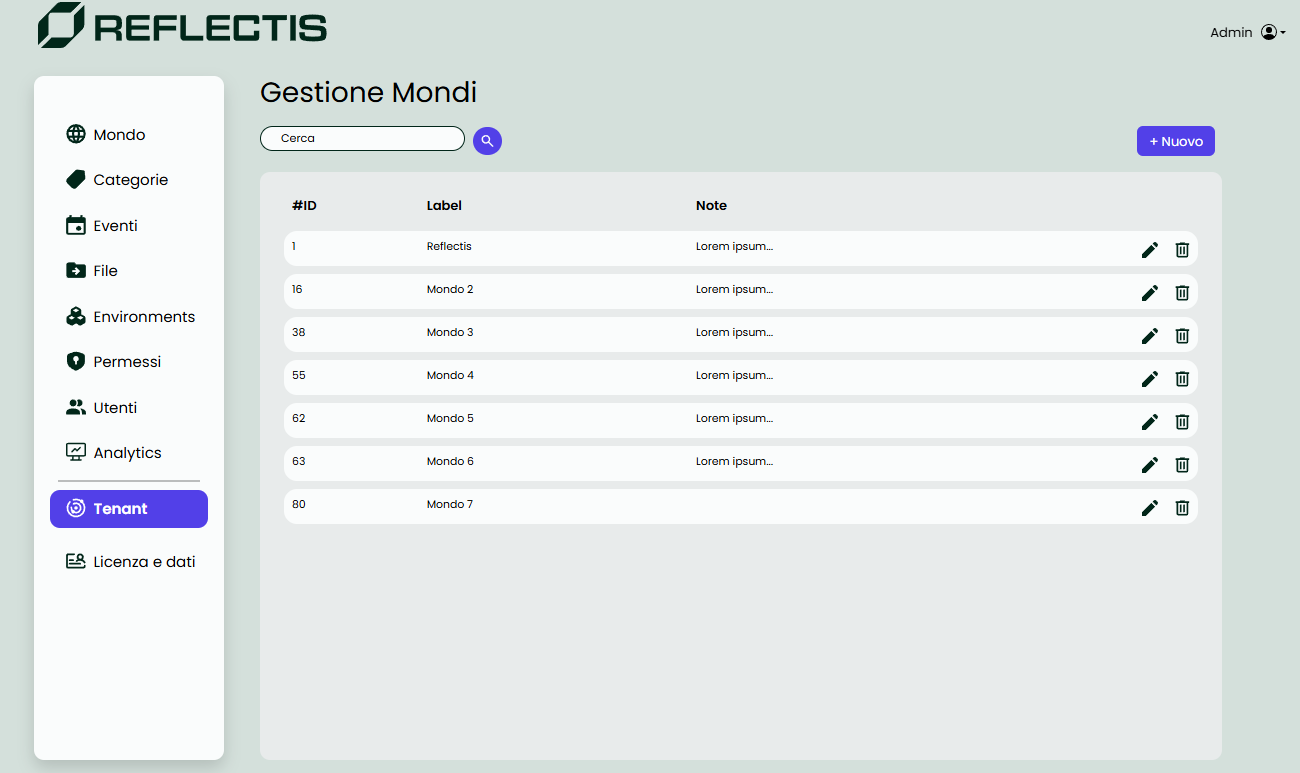
The Tenant section allows the Tenant Manager to oversee and manage all the worlds within their tenant. This includes creating, editing, and deleting worlds, as well as configuring their properties, limits, and user roles.
World List
The Tenant Manager can view a list of existing worlds, each displayed with basic details. From this list, worlds can be:
- Edited to update their properties, limits, and roles.
- Deleted, if necessary.
Creating a New World
When creating or editing a world, the process is now divided into three tabs to simplify management: General, Limits, and Permissions.
General Tab
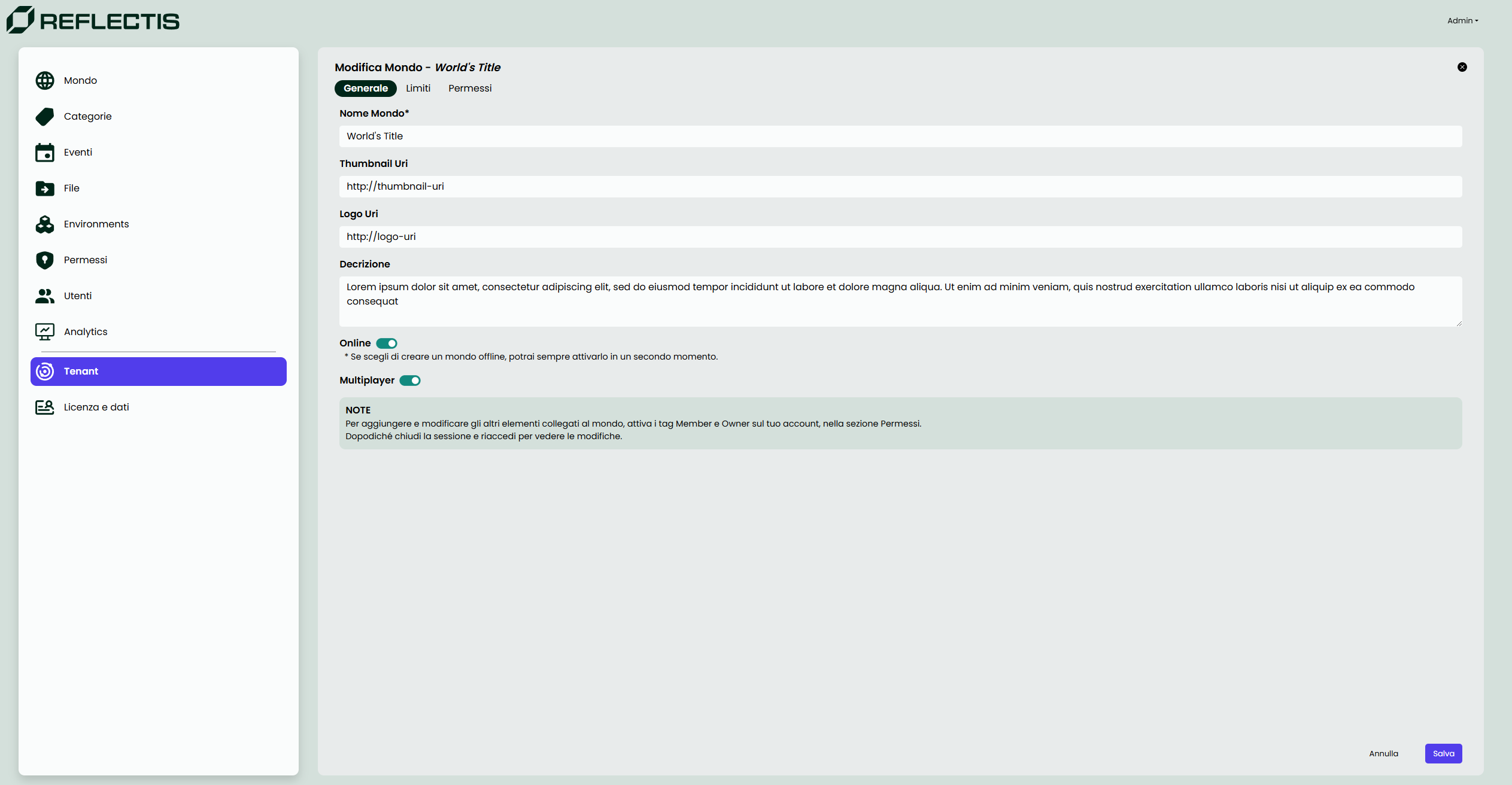
In the General tab, the Tenant Manager can configure the following details:
- World Name: The title of the world (mandatory field).
- Thumbnail URI: The URL for the thumbnail image representing the world.
- Logo URI: The URL for the logo image associated with the world.
- Description: A brief text describing the purpose or theme of the world.
- Online Status: A toggle to set the world online or offline. If set offline, it can be activated at a later time.
- Multiplayer: A setting to enable or disable multiplayer functionality for the world. When enabled, the world supports multiple users interacting simultaneously, facilitating collaborative and shared experiences.
A helpful note is provided to guide the Tenant Manager to update their permissions if additional roles (e.g., Member, Owner) are needed for the world.
Limits Tab
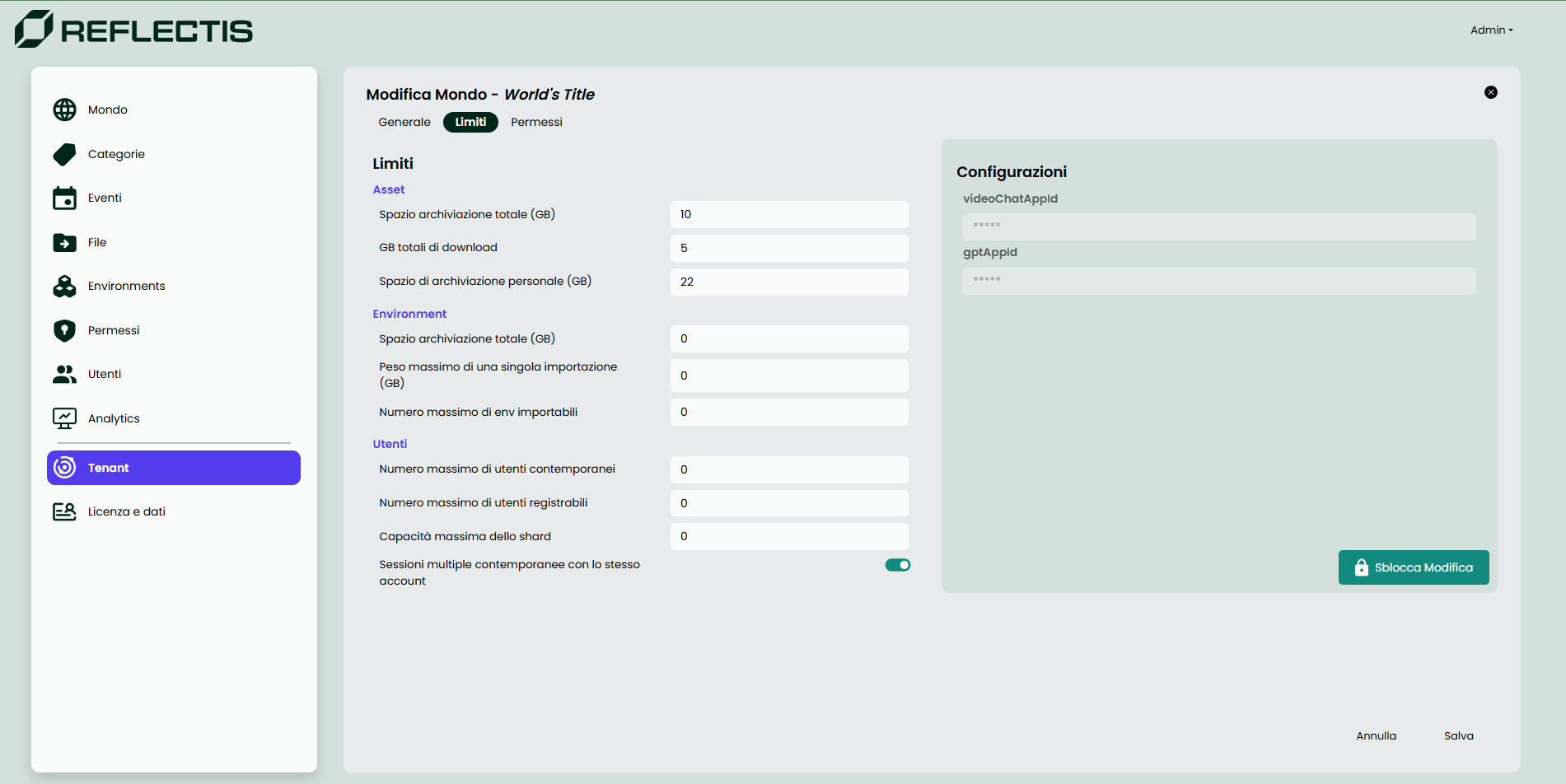
In the Limits tab, the Tenant Manager can define the following constraints:
- Assets:
- Total storage space (GB).
- Total download GB.
- Personal storage space per user (GB).
- Environment:
- Total storage space for environments (GB).
- Maximum file size for a single importable environment (GB).
- Maximum number of environments importable.
- Users:
- Maximum number of concurrent users allowed.
- Maximum number of users that can register.
- Maximum shard capacity for simultaneous users.
- Option to allow multiple concurrent sessions per user account.
Additionally, advanced configuration fields (e.g., videoChatAppId and gptAppId) are displayed for managing integration parameters.
Permissions Tab
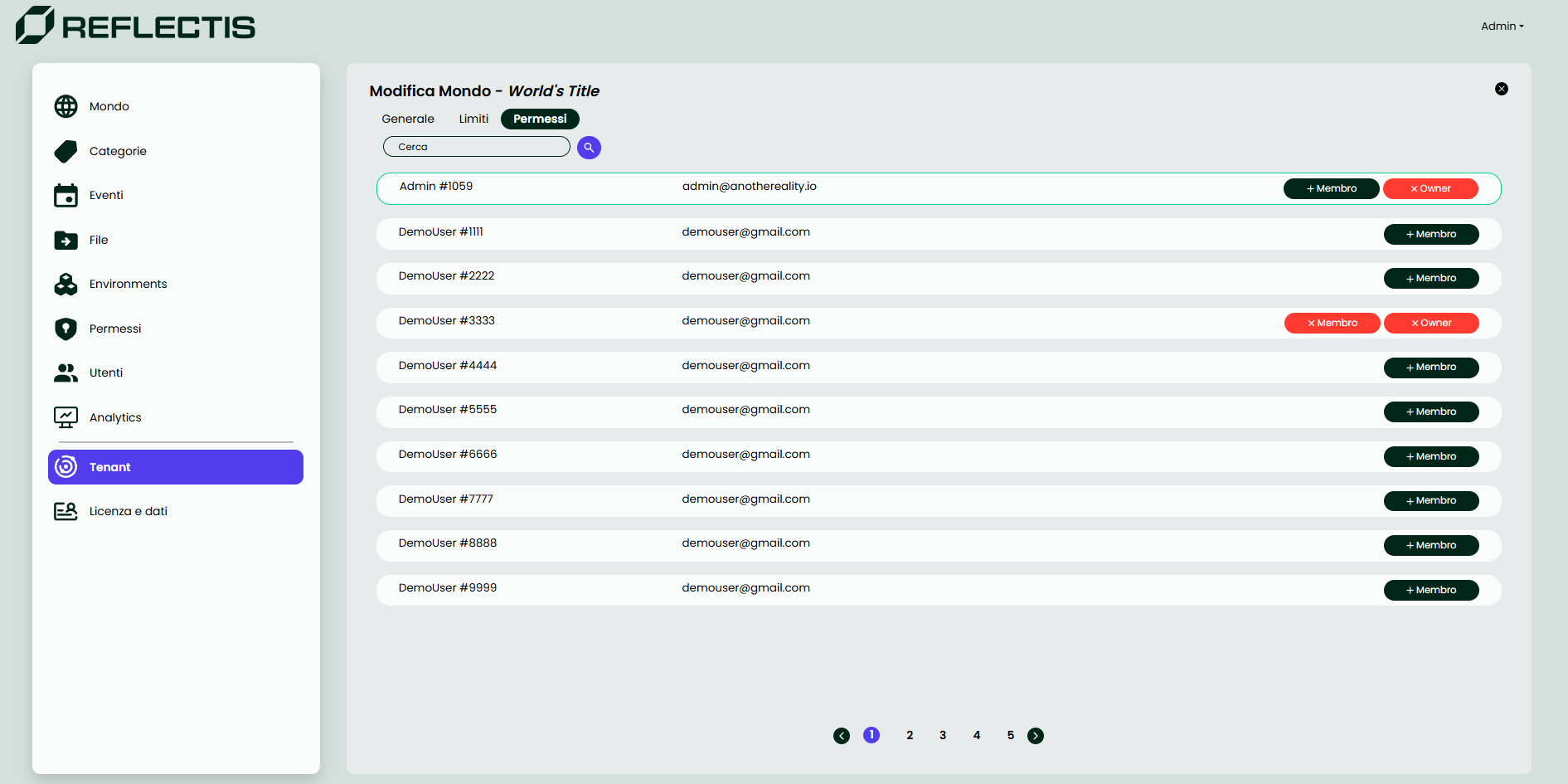
In the Permissions tab, the Tenant Manager can manage roles for users associated with the tenant. Roles include:
- Member: Grants basic access to the world.
- Owner: Assigns ownership to a user, providing them with enhanced management capabilities within the world.
The tab includes:
- A search bar to quickly locate users.
- Role assignment buttons to add or remove roles (e.g.,
+ Member,+ Owner,x Member,x Owner).
Users are listed with their names, emails, and current roles, providing a clear and organized interface for role management.
Summary
The Tenant section centralizes world management for the Tenant Manager, allowing them to:
- Create, edit, and delete worlds.
- Configure general details and appearance.
- Define usage and storage limits.
- Assign and manage user roles.
This structured approach, with the new tabbed interface, ensures efficient and effective management of virtual worlds within the tenant.